 mind3D
What mind3D can do
An overview of everything in mind3D, from the first node to the encrypted backup. Everything works the same on your phone and on your PC.
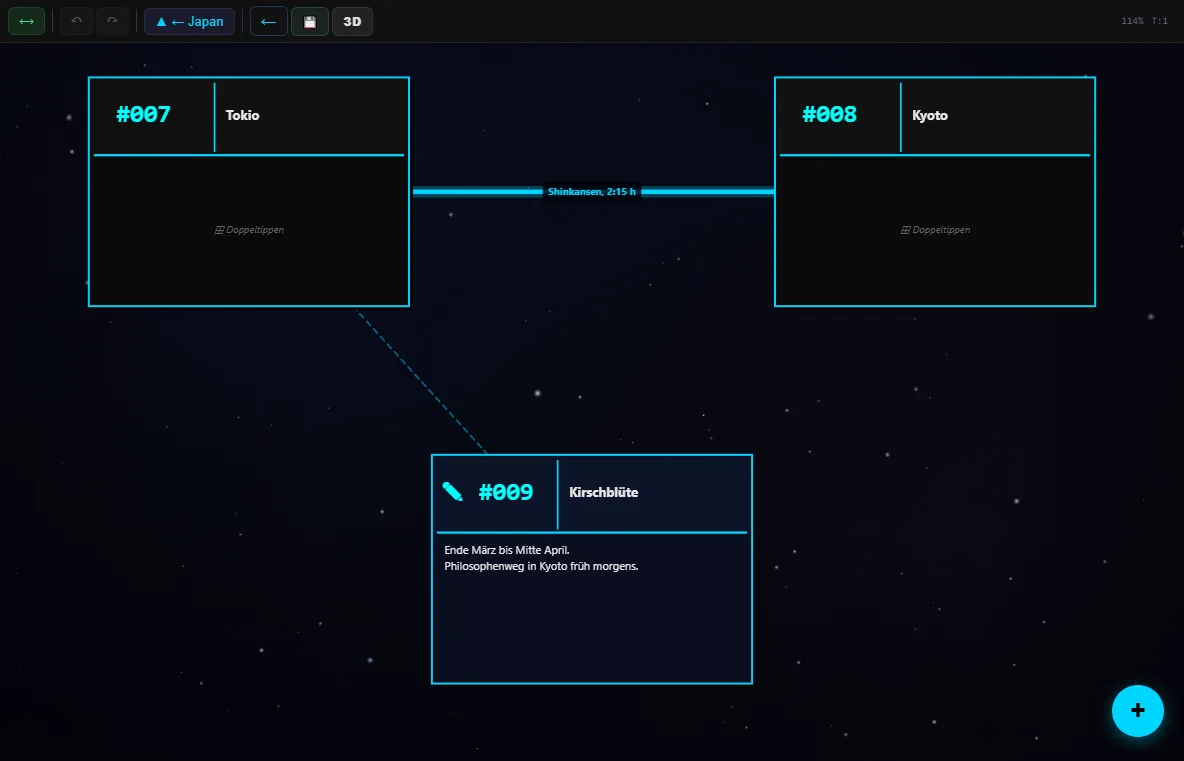
Levels instead of an endless canvas
Every mind map node is also a mind map of its own. One idea can become a whole universe without cluttering the top level.
- Double-tap (double-click on PC) opens a node
- ▲ in the toolbar goes back one level
- Zooming in opens a node, zooming out takes you up
- A small preview shows what is inside a node
- Pan with your finger or the mouse, zoom with two fingers or the mouse wheel
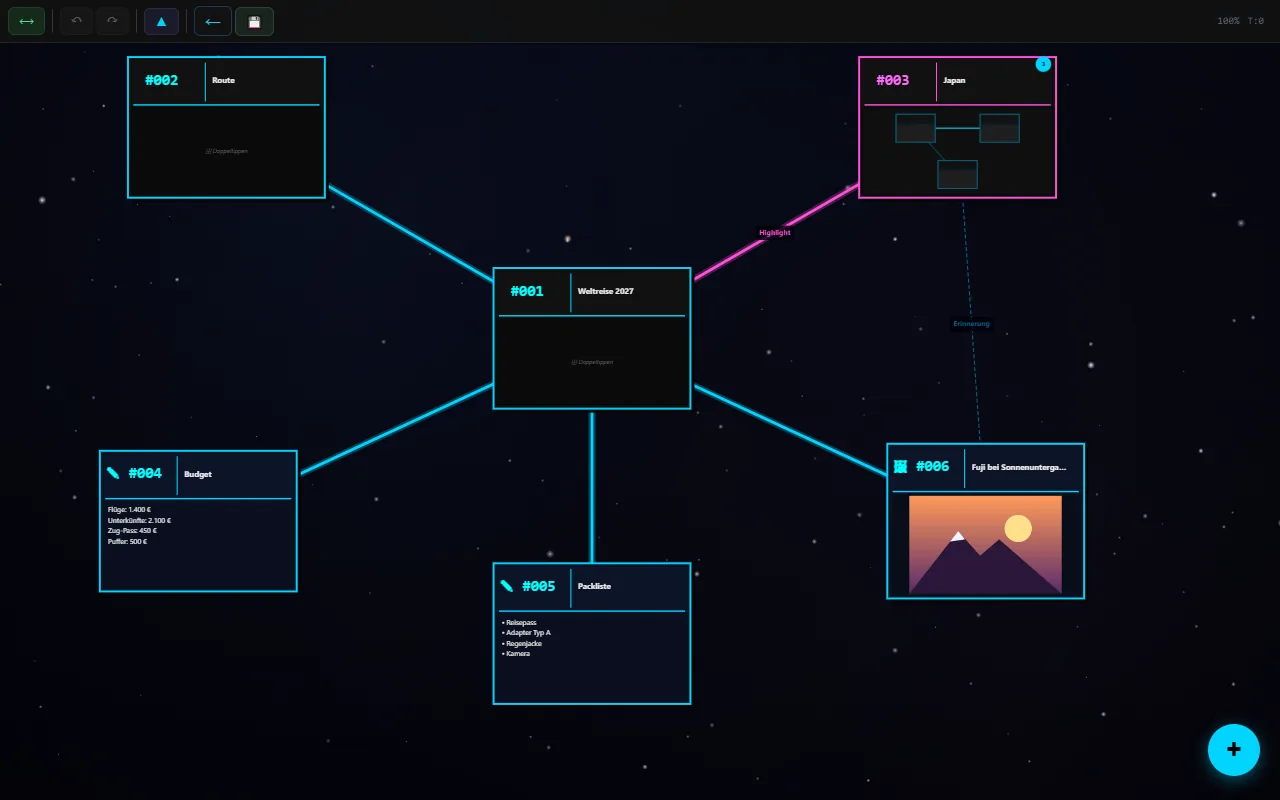
Five kinds of nodes
Add nodes with the round + at the bottom right.
Mind map
Text
Image
Sound
Document
Connections that say something
- Tap two nodes with ⟷ and they are connected
- Label and colour connections
- Connections across levels: mind3D shows at the edge where they lead
- Many connections between the same areas are bundled and counted, so nothing turns into a tangle
- Nodes can get their own border colour
Edit without worry
💾Saved automatically
Every change is saved immediately. On top of that there is a snapshot every two minutes, and 💾 saves manually.
↶Undo
Step back and forward again, on PC also with Ctrl+Z and Ctrl+Shift+Z.
🫳Drag and drop
Move nodes freely. Drag a node onto a mind map node and it moves into that node’s level.
Projects and people
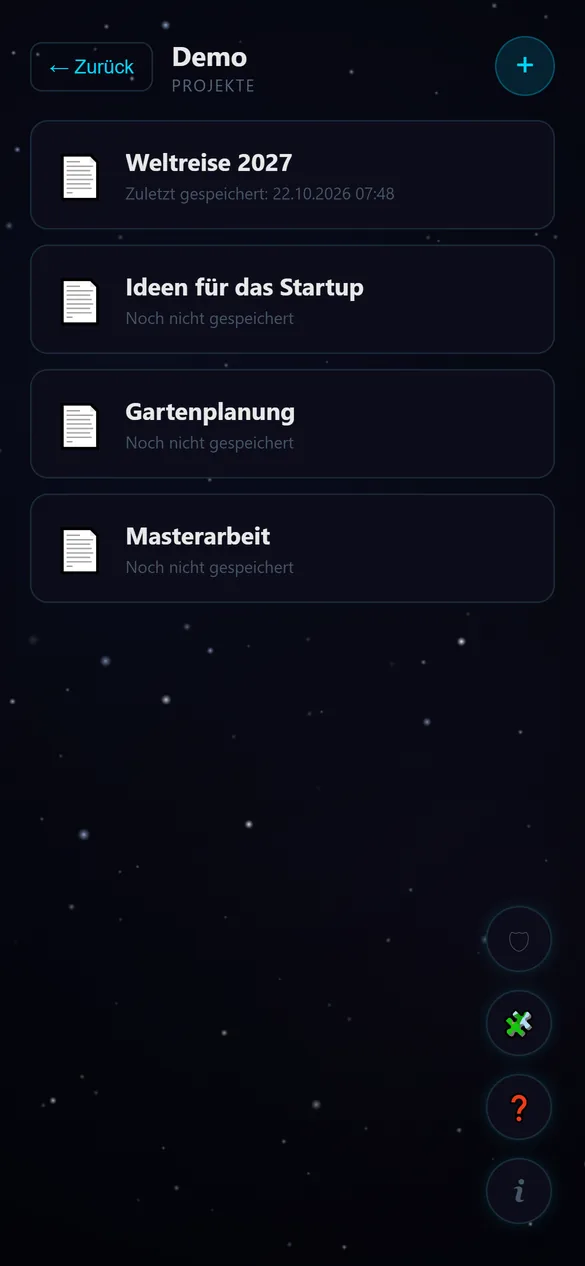
Several people can share one device: each name has its own project list. No account or password needed.
- Create, rename, export and delete projects (long-press a project)
- Recently used names can be picked on the start screen
- The most recently edited project is at the top
Import and export
📤Export
Save or share any mind map as a file, as open JSON or encrypted as .m3e.
📥Import
Open files in the “New project” dialog or simply “open with mind3D” in your file manager. mind3D detects the format itself and checks every file.
📝Markdown and Obsidian
Notes and whole Obsidian vaults become mind maps: folders become levels, notes become nodes, [[links]] become connections. More
🔁Nothing is overwritten
If the name already exists, the import gets a number, e.g. “Novel (1)”.
Extensible with plugins
Plugins change looks and features without your mind maps depending on them: switch one off and everything stays readable. Five plugins are included, more can be installed from a file.
To the plugins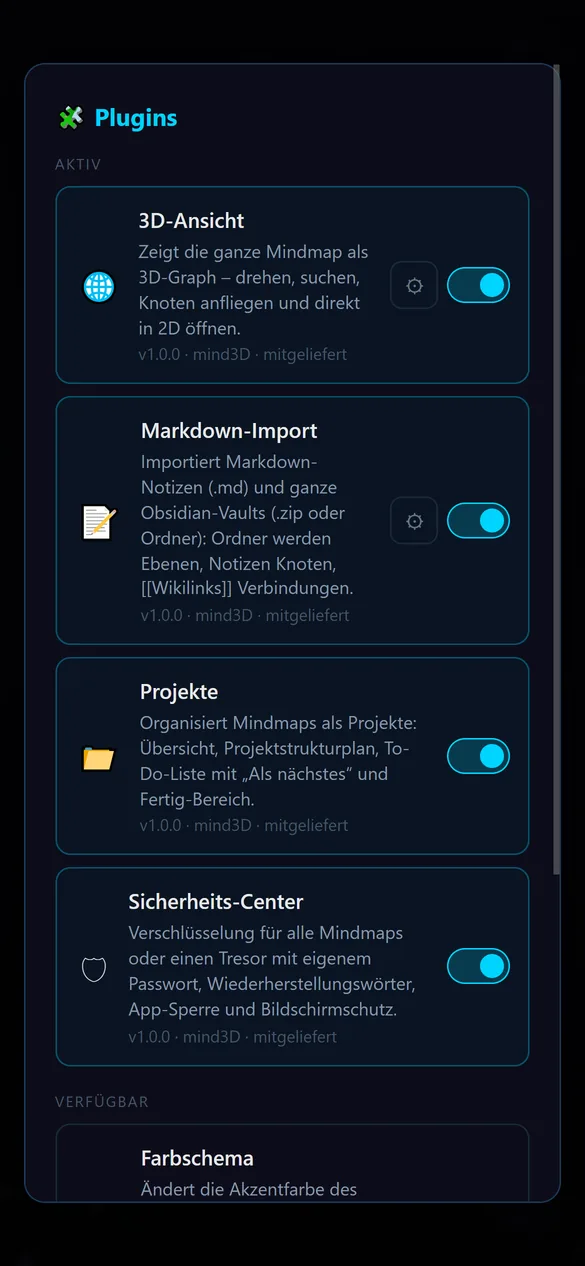
Security and privacy
Fully offline, no trackers and encrypted if you like. In detail on the Security page.
For Android and Windows
| Android | Windows | |
|---|---|---|
| Requirements | Android 10 or newer | Windows 10 or 11 (64-bit) |
| Installation | Google Play | Installer with Start menu and desktop shortcut, no admin rights |
| Controls | Touch, back gesture | Mouse, keyboard, touchscreen |
| Unlocking with encryption | automatically via the security chip, optional fingerprint | with password |
| Internet | never needed | |
| Languages | English and German, switch any time under ℹ | |
| Price | 100 % free, no ads and no in-app purchases | |